Task Mode
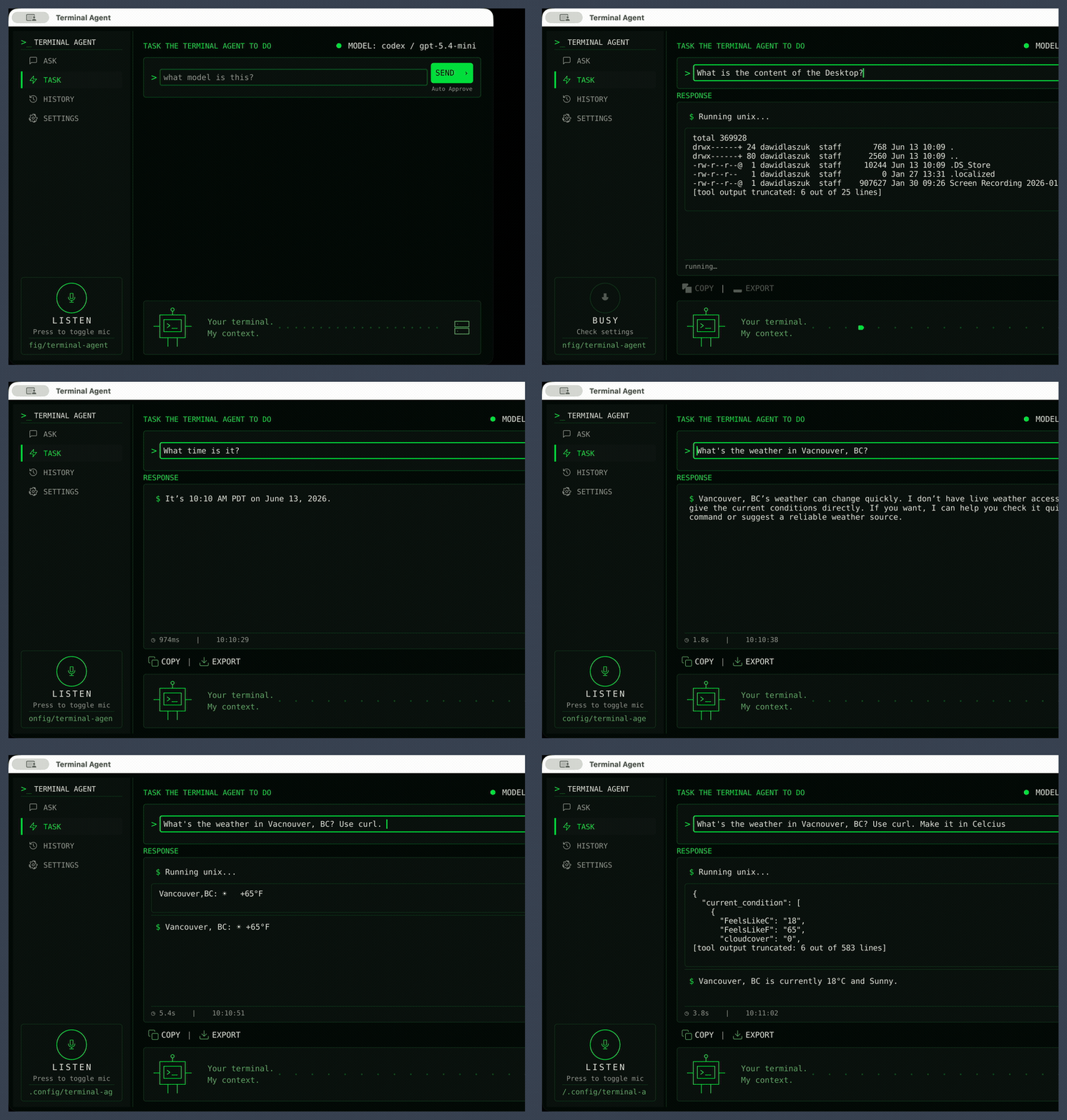
Task mode runs the agentic workflow: the model plans steps, calls tools (such as
unix, python, file_search, web search, and any configured MCP tools), and
returns a final answer. The transcript shows each tool call, streams live tool
output as it is produced, and finishes with the rendered answer.
Approvals in the GUI
Task runs in the window currently execute with Auto Approve on, indicated by the label next to the Send button. Actions run without a per-action confirmation prompt, so point it at work you are comfortable letting it perform. Interactive per-action approval in the GUI is planned for a future release; the CLI's approval logic already supports it today. When the agent needs to ask you a clarifying question it pauses and shows a small dialog, and the run continues once you answer.
Live tool output shown in the transcript is capped per tool (see
task_live_output_limit in Configuration); when output
is truncated the transcript marks it and the full captured result is appended
when the tool finishes.