Routines
The Routine tab manages routines: scheduled, unattended agent runs. Each card shows a status dot (active / inactive / error), the schedule, model, last and next run times, and a preview of the prompt.
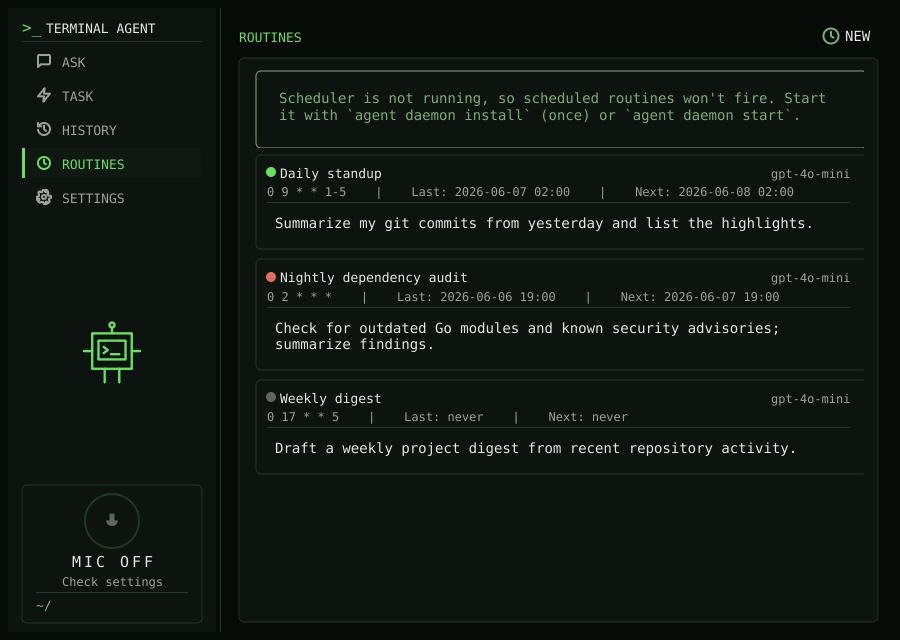 Click a card to open a
detail view with the full prompt, resolved settings, and the list of past run logs;
from there you can Run now, Enable/Disable, Edit, or Delete the
routine. Use NEW to create one.
Click a card to open a
detail view with the full prompt, resolved settings, and the list of past run logs;
from there you can Run now, Enable/Disable, Edit, or Delete the
routine. Use NEW to create one.
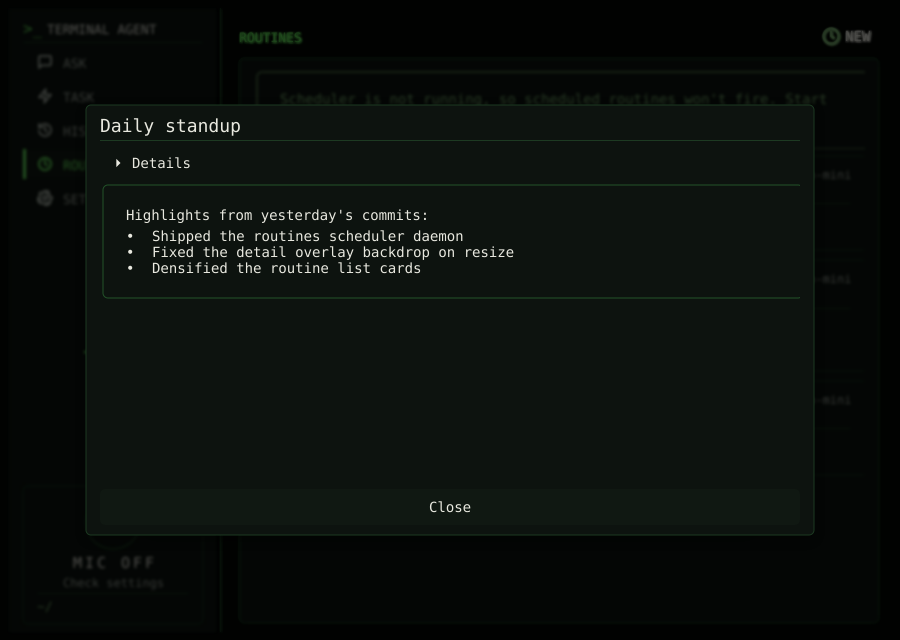
Opening a log renders it by type. A run summary (.md) shows the routine name as
its title, the run metadata collapsed into a two-column Details block, and the
output set apart in a highlighted box. A transcript (.jsonl) is shown as
pretty-printed JSON for debugging.
The create/edit form keeps the essentials up front (name, enabled, prompt, and cron
schedule) and tucks the rest into a collapsible Advanced section that is closed by
default: provider/model, the time and token budgets, step limits, deny rules, and an
"Allow web search" toggle (external-facing tools are off by default). Defaults for
routines that leave fields blank, plus the global routines on/off switch, live under
Settings → Routine defaults…. The per-routine working directory is set via the
CLI (--workdir) or config, not the form. Automatic firing
requires the daemon; "Run now" works regardless.
The list refreshes itself while it is open, so runs produced by the daemon or the CLI
appear without re-navigating. If any routine has a schedule but the daemon is not
running, a banner reminds you that scheduled routines will not fire until you start it
(agent daemon install once, or agent daemon start).